
Disclosure: Tripvio published this guide. It explains the current Tripvio workflow and references public product information from competing apps where noted. It is not an independent ranking, and features, pricing, and availability can change.
The best group app depends on the group’s real problem
“Best” is not a useful answer until you define the job. A couple planning a weekend road trip needs a different tool from six friends coordinating an international trip. Start with the part that creates the most friction:
- We need a shared route and map. A map-first planner may be the best fit.
- We already booked everything. An email-based itinerary organizer can reduce manual entry.
- Everyone has ideas, but no one can decide. Choose an app with shared lists, voting, and an editable itinerary.
- We have money, documents, and safety concerns to coordinate. Choose a broader group trip workspace.
For that last case, Tripvio is built to keep the group’s planning and travel-day information in the same trip.
Use this test before inviting anyone
Imagine five friends taking an eight-day trip through Portugal. One person has flights in email, two have saved restaurant reels, someone needs to check entry requirements, and the group wants to split the apartment and car costs fairly. The winning app should let them complete the following without moving back to a dozen chat threads.
| Group-trip job | What to look for | How Tripvio handles it |
|---|---|---|
| Get started | More than one way to build the first plan. | Start with AI, manual planning, eligible email sync, smart uploads, or a curated template from the growing library. |
| Collect ideas | A place to save options before they become commitments. | Save AI recommendations and templates to Bucket List; keep trip-specific candidates in the Maybe list. |
| Decide together | Shared editing and a way to resolve competing preferences. | Add collaborators, vote on recommendations in Maybe, and move selected places to the itinerary. |
| Carry the essentials | Documents that stay connected to the plan. | Document hub for passports, visas, insurance, and bookings; attach records to itinerary items. |
| Manage money | A shared budget plus a clear way to settle costs. | Manual and uploaded expenses, eligible email-derived booking details, and expense splitting with collaborators. |
| Travel with confidence | Maps, safety information, and offline access. | Itinerary and landmark map pins, safety hub, Visa Check, Premium offline trip data, and offline safety for all users. |
1. Start in the way your group already plans
Groups do not begin in the same place. One friend might want an AI-generated first draft. Another might share a booking confirmation. Someone else may have a ready-made trip template in mind. Tripvio supports all of those starts, so the organizer does not have to rebuild the plan just because the first input was an email, a document, or a list of ideas.
Templates are particularly useful when the group wants momentum rather than perfection. Choose a curated itinerary, set the dates, then swap places and add bookings together. AI can help create or adapt a plan; manual planning remains available when the group already knows exactly what it wants.
2. Separate ideas from the itinerary
A group itinerary becomes unusable when every possibility is treated as a confirmed plan. Keep future inspiration in Bucket List, then use the trip’s Maybe list for places the current group is considering. Collaborators can vote, which makes the decision visible rather than buried in messages.
Once the group agrees, add the place to a day manually, from AI recommendations, or from map and place recommendations. This gives the planner a clean schedule while still respecting everyone’s suggestions.
3. Make the itinerary useful on travel day
The itinerary should not be a static pre-trip document. In Tripvio, each trip can keep planning checklists, flight and hotel discovery, maps, documents, budget details, and an AI companion for disruptions and budget help close to the day-by-day schedule. Attach a rail ticket to the exact rail segment or a hotel record to the check-in item so a traveler does not need to search a shared drive at the station.
Tripvio’s maps pin itinerary items and landmarks, making it easier to understand the day geographically and add useful places directly to the plan.
4. Give documents and budgets a real home
At minimum, a group needs a shared reference for bookings. International groups often need much more: passports, visa copies, travel insurance, and arrival information. Tripvio’s document hub supports manual storage and OCR-assisted uploads, and lets travelers attach relevant records to itinerary items.
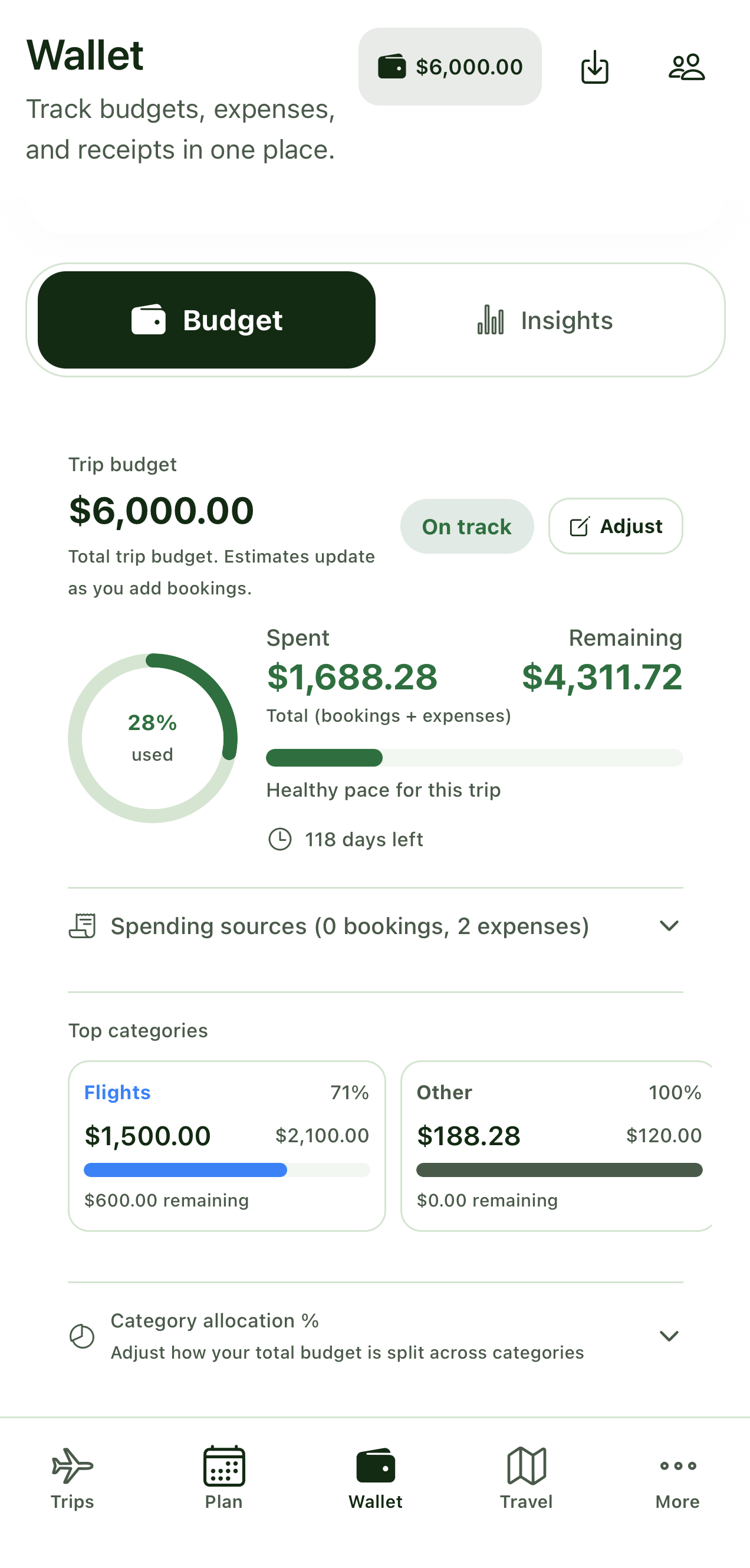
For costs, Tripvio supports manual entry and uploads, can use eligible information from synced travel emails when available, and lets collaborators split shared expenses. Confirm booking totals and settlement details before relying on any imported record.
5. Do not treat safety and offline access as extras
Signal can disappear when the plan matters most. In Tripvio, Premium includes offline access to key itinerary, document, and map information. Offline safety information remains available to free users. The Safety Hub also provides advisories, a shortcut for emergency services, and location sharing with collaborators.
Use these features responsibly: keep location sharing limited to trusted people, verify local emergency numbers, and treat advisories and Visa Check as planning support rather than an alternative to official authorities.
How common options fit different groups
Tripvio: a strong option for groups that want to make decisions together and keep planning, budgets, documents, maps, safety, and in-trip tools in one workspace.
Wanderlog: a strong option for groups that prioritize a visual, map-first itinerary, real-time collaboration, and road-trip routing. Its public product materials also describe booking organization, budgets, and offline access features.
TripIt: a strong option for groups centered on reservation organization and travel-day alerts. Its public sharing documentation offers traveler, planner, and viewer roles, while its core experience is built around booking confirmations.
Read our detailed Tripvio vs Wanderlog and Tripvio vs TripIt comparisons before deciding.
Methodology and sources
Tripvio feature descriptions are based on the current app as reviewed July 20, 2026. The summaries of Wanderlog and TripIt are based on their public Wanderlog product information, Wanderlog offline guide, TripIt product page, and TripIt sharing guide. Product names are owned by their respective companies.
Quick answers
Can everyone in a Tripvio group see the same trip?
Yes. Add the collaborators you want involved so the group can work from the same shared itinerary and trip information. Use care when sharing sensitive records.
Can I use Tripvio for a solo trip too?
Yes. Collaboration is optional. The same planning, documents, maps, budget, safety, and offline tools can be used for solo travel.
Are all offline features free?
No. Offline itinerary, documents, and maps are Premium features. Offline safety information is available to free users.
Bring the group’s ideas, bookings, documents, costs, and travel-day plan into one place.