
If you’ve ever planned a trip, you already have a system. Maybe it’s a Google Doc where you dump every idea. Maybe it’s a spreadsheet with color-coded tabs for flights, hotels, and activities. Maybe it’s a folder of screenshots in your camera roll that you search through in a mild panic at the airport.
These systems work — until they don’t. And at some point, almost every traveler ends up wondering whether there’s a better way.
That’s usually when the phrase “travel itinerary app” first appears in a search bar.
This post gives you an honest answer to what these apps actually are, what problem they solve, how they compare to the tools most people already use, and whether you actually need one — or whether your spreadsheet is doing the job just fine.
What Is a Travel Itinerary App?
A travel itinerary app is software built specifically to help you plan, organize, and manage a trip — from the initial idea through to the last day of travel.
The core function is the itinerary itself: a structured, day-by-day view of your trip that shows where you’re going, what you’re doing, when you need to be there, and how you’re getting between places. Think of it as the difference between a pile of booking confirmations and an actual plan.
But modern travel apps typically go well beyond a basic schedule. Depending on the app, you might get:
- Map integration — your itinerary plotted visually so you can see if your plans actually make geographic sense
- Booking import — flight and hotel confirmations pulled in automatically from your email
- Group collaboration — shared itineraries that everyone on the trip can view and edit
- Budget and expense tracking — what you planned to spend vs. what you’re actually spending
- Document storage — passports, insurance, visas, and booking confirmations in one place
- Offline access — so the plan works without data roaming
Some apps focus on one of these things well. The best ones bring them all together.
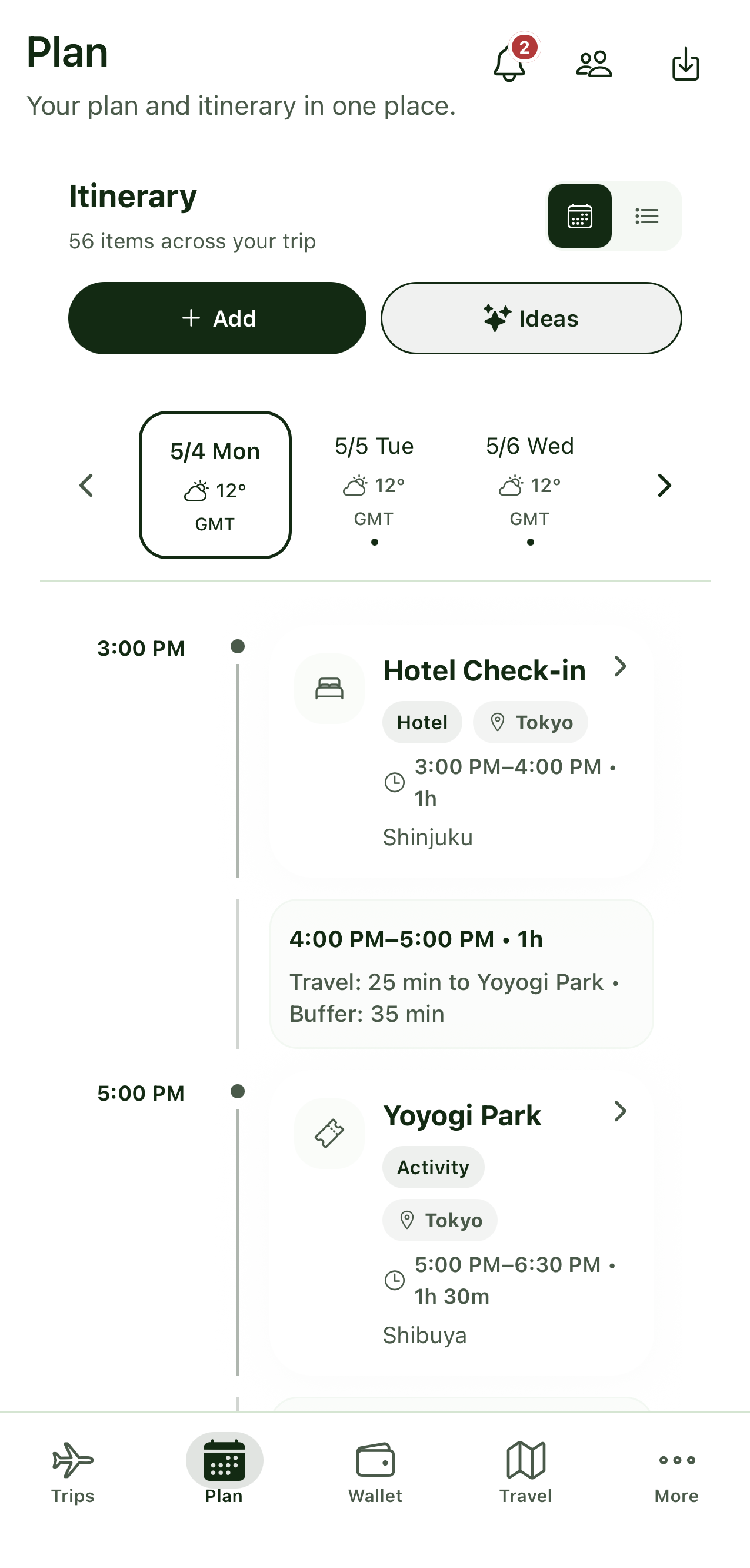
The Tools Most People Actually Use (And Where They Fall Short)
Before comparing dedicated apps, it’s worth being honest about the alternatives — because most people arrive at travel apps after hitting the limits of something they were already using.
The Spreadsheet
Who uses it: Organized travelers who like control. People who’ve been burned by over-complicated tools. Anyone who learned trip planning from a parent with a color-coded Excel file.
What it does well: A well-built spreadsheet is genuinely flexible. You can structure it exactly how you want, add as many columns as you need, share it via Google Sheets, and access it offline. Google Sheets in particular inherits useful features like sharing, offline access, version history, and customization that make it a reasonable planning tool.
Where it falls short: A spreadsheet has no map. It has no idea that your Tuesday afternoon and Tuesday evening are on opposite sides of the city. It doesn’t know that two of your four hotel bookings are in the same email thread and one is in a booking platform app. There’s no way to share it with travel companions in a way that feels natural — someone always ends up with a stale version. And it has zero value during the trip itself, when you need something you can glance at quickly rather than navigate between tabs.
Spreadsheets are great for planning at a desk. They’re awkward for planning on the go and nearly useless in the actual moment of travel.
The Notes App
Who uses it: People who want flexibility without structure. Frequent travelers who’ve tried apps and found them too rigid. Anyone who values speed over organization.
What it does well: Notes apps are fast. Drop a link, paste an address, screenshot a recommendation — it’s all in one place, searchable, synced across devices. Experienced travelers often use Notes apps to save links, forum threads, and screenshots from research, building up a reference file for a destination over weeks or months.
Where it falls short: Notes are a research dump, not a plan. There’s no chronological structure, no map, no way to see “is this restaurant near the museum we’re going to that morning?” It’s a place to collect things, not a place to make decisions. And sharing a notes folder with a group — especially a mixed-device group — is an exercise in frustration.
Google Docs / Notion / Similar
Who uses it: Methodical planners. People who like building systems. Group trips where someone volunteers to be the designated organizer.
What it does well: A well-structured Google Doc can be a genuinely good trip plan — especially for groups, since everyone can comment, edit, and access the same version in real time. Notion takes this further with tables, toggles, and embedded content, giving you a customizable planning workspace.
Where it falls short: These are general-purpose tools being asked to do a travel-specific job. There’s no map integration. No booking import. No expense splitting. No offline access to your itinerary without some workaround. And as a document rather than an app, it’s not optimized for quick glances on a phone — which is how you actually use your plan when you’re traveling. Notion gives you full control and clean layouts, but its AI and automation features are generic rather than travel-focused, which means you’re doing a lot of the work manually that a dedicated tool would handle for you.
Booking Platform “Trip” Features
Who uses it: People who just booked through Booking.com, Expedia, or a similar platform and noticed the “my trips” section.
What it does well: Convenient for tracking what you’ve booked through that specific platform.
Where it falls short: Your trip almost certainly involves bookings from multiple platforms, direct hotel bookings, tours booked elsewhere, and restaurants you found on a completely different site. Booking platforms that offer “trip planners” are typically upselling booking rather than genuinely helping you plan — they only show what you booked through them, which is rarely the whole picture.
So What Does a Dedicated Travel Itinerary App Actually Do Better?
Here’s the honest answer: if you’re taking a simple solo trip with two flights and one hotel, your notes app is fine. You don’t need anything more.
The case for a dedicated travel app gets stronger the more any of these apply:
You’re traveling with other people. The moment a trip involves more than one person, you need shared infrastructure. Real-time collaboration on a live itinerary — where everyone sees changes as they happen — is genuinely difficult to replicate with documents or spreadsheets.
Your itinerary is complex. Multiple cities, multiple transport legs, activities in different parts of town — a map view isn’t a nice-to-have here, it’s how you catch the mistake where you’ve scheduled three things on opposite sides of a city in the same afternoon.
You want everything in one place. The promise of a good travel app is that your flight confirmation, your hotel booking, your restaurant reservations, your travel insurance, your passport copy, and your day-by-day plan all live somewhere you can reach in under ten seconds, even without internet.
You travel more than once or twice a year. The setup cost of a good travel app pays itself back quickly if you’re planning trips regularly. Your templates, preferences, and documents are already there for the next trip.
You hate the end-of-trip financial conversation. Expense tracking with built-in group splits is something no spreadsheet or notes app handles gracefully.
The Honest Comparison
| Spreadsheet | Notes App | Google Doc | Travel App | |
|---|---|---|---|---|
| Day-by-day itinerary | ✓ | ✗ | ✓ | ✓ |
| Map view | ✗ | ✗ | ✗ | ✓ |
| Booking import | ✗ | ✗ | ✗ | ✓ |
| Group collaboration | Partial | ✗ | ✓ | ✓ |
| Expense tracking | Manual | ✗ | Manual | ✓ |
| Document storage | ✗ | Partial | Partial | ✓ |
| Offline access | ✓ | ✓ | Partial | ✓ |
| Optimized for mobile | ✗ | ✓ | Partial | ✓ |
| Built for travel | ✗ | ✗ | ✗ | ✓ |
What to Look for in a Travel Itinerary App
Not all travel apps are built the same. A few things worth checking before committing to one:
Does it work for your trip type? Some apps are optimized for road trips. Others are built primarily for solo travelers. If you’re planning group trips or multi-destination itineraries, make sure the app actually handles those well rather than just claiming to.
Is it genuinely collaborative? “Shareable” and “collaborative” are different things. Being able to send someone a link to view your plan is not the same as everyone being able to contribute to it in real time.
Does offline access actually work? Test this before you need it. Some apps require workarounds to access your plan without data — which defeats the purpose when you’re in a remote area or trying to avoid roaming charges.
Is it the whole trip, or just part of it? Some apps do itineraries well but have no document storage. Others track expenses but have no map. The best ones handle the full trip lifecycle in one place — planning, collaboration, budgeting, documents, and the trip itself.
Do You Actually Need One?
If your current system is working, keep using it. There’s no reason to switch tools just because better ones exist.
But if you’ve ever lost a booking confirmation at a check-in desk, tried to coordinate a group trip over WhatsApp, realized your Tuesday afternoon and Tuesday evening were across the city from each other, or had an uncomfortable money conversation at the end of a trip — a dedicated travel app solves those problems in a way that a spreadsheet or notes app structurally cannot.
Tripvio is built around the idea that your whole trip should live in one place. Manual planning or templates, a map that builds itself as you add stops, email sync for your bookings, real-time collaboration for group trips, expense tracking and splitting, document storage, and a safety hub for the things you hope you never need. From the first idea to the last memory.
If that sounds like the trip planning you’ve been trying to cobble together across five different tools — this is the one app that does all of it.
Try Tripvio for your next trip → tripvio.app