
Disclosure: Tripvio published this guide. It describes Tripvio’s current offline planning options as reviewed on July 20, 2026: offline itinerary, document, and map access are Premium features, while offline safety information remains free. Offline capability, device settings, and feature availability may vary. It does not replace backups, current official guidance, or emergency services.
Why offline preparation matters
Travel plans are often needed exactly when a connection is least dependable: after landing, on a train between cities, at a border crossing, or when you need to find a hotel address quickly. An offline-ready plan reduces the pressure to search for a signal before you can find a confirmation number, next stop, or saved location.
Offline access is not a promise that every travel task will work without a network. Reservations may still need to be checked with a provider, maps may need a location signal to orient you, and emergency calling depends on your device, network, and local infrastructure. Think of it as preparation for the information you can control.
What to prepare before you leave
- Your day-by-day itinerary: addresses, dates, arrival details, check-in times, and the next thing you need to do.
- Travel documents: reservation details and copies of important records you may need to reference.
- Maps and saved places: lodging, airports, stations, meeting points, and key itinerary locations.
- Important contacts: your travel companions, accommodation, insurer, and any relevant official assistance contacts.
- A separate backup: an additional secure copy of critical information and a way for a trusted person to access essential details if appropriate.
Tripvio’s offline options
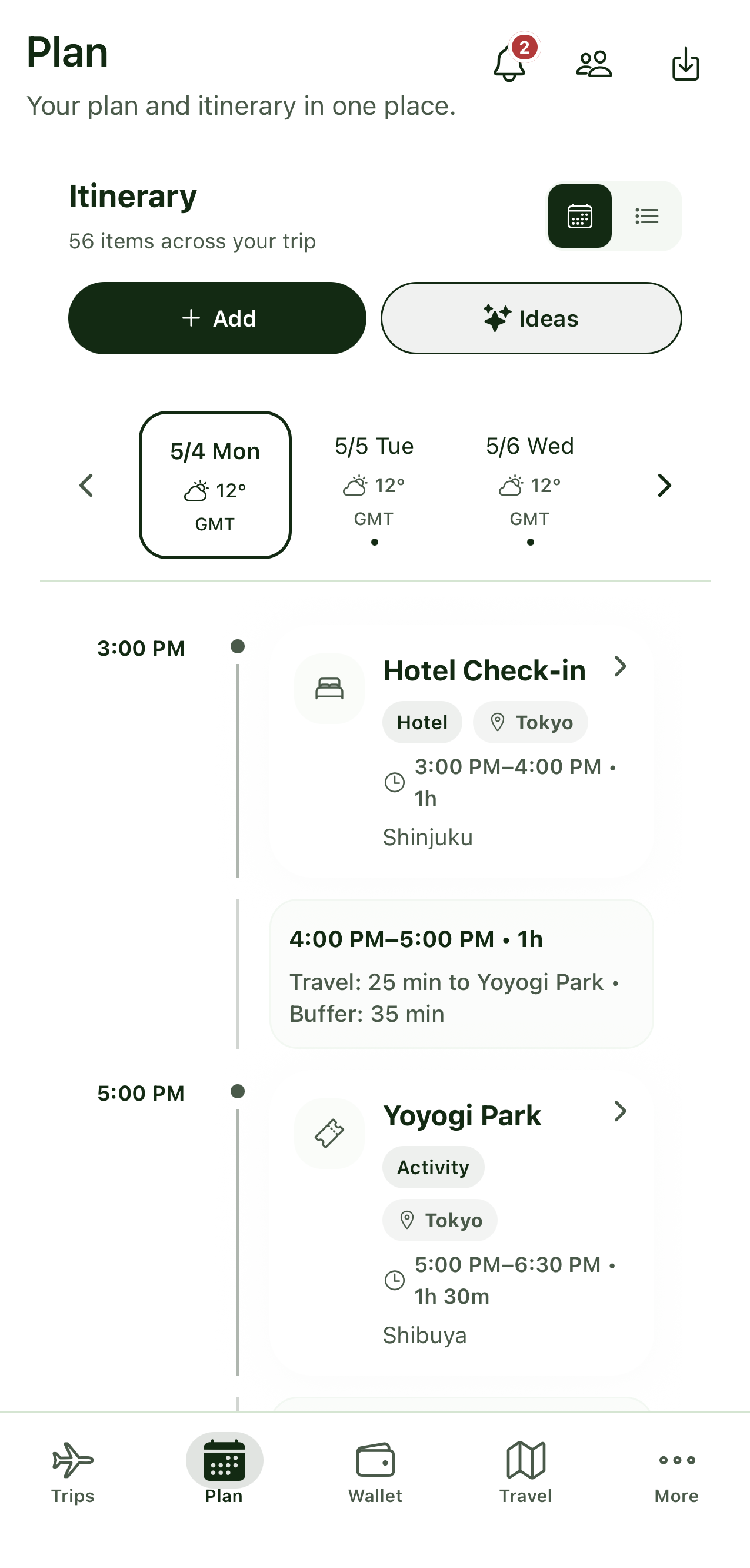
Tripvio Premium members can access key itinerary, document, and map information offline. This can help keep your plan and travel records available when data is limited or unavailable. Before departure, make sure the relevant trip information is organized and review the current in-app offline options for your device.
Safety is treated differently. Tripvio keeps offline safety information available to free users because basic preparedness should not depend on a subscription. That information is still only one layer of a personal travel safety plan; it cannot replace official advice, local emergency response, or a working way to contact help.
A travel-day offline checklist
- Review your itinerary. Confirm that each day has the information you will need first: where you are going, when, and how to get there.
- Organize documents. Keep relevant bookings and records with the trip, and retain a secure backup outside your phone where appropriate.
- Save the locations that matter. Check that your lodging, stations, airports, and key itinerary items are available in your plan and maps.
- Charge and protect your phone. Bring a charged power bank, enable any device settings you need, and protect access to sensitive information.
- Know your backup path. Write down or securely share important contacts and know where to seek official help if your device or connection is unavailable.
Keep documents useful—and protected
A phone can be a convenient place to reference booking details, insurance information, and travel records. It can also be lost, damaged, locked, or stolen. Keep only what you need, secure your device, and maintain a separate backup plan for essential documents and contacts. Do not treat one app or one device as your only copy.
The U.S. Department of State recommends travelers make copies of travel documents and leave copies with someone they trust where appropriate; see its Traveler’s Checklist for official guidance applicable to U.S. travelers. Travelers from elsewhere should consult their own government’s official travel advice.
Offline safety is preparation, not emergency response
Offline safety information can make it easier to review key details without mobile data. It cannot place an emergency call for you or guarantee contact with local services. Emergency calling, messages, live location sharing, and official alerts depend on your device, available network, permissions, and the services where you are.
If you need urgent help, contact local emergency services or the appropriate official authority using the safest available method. Follow official instructions and make decisions based on your situation. For trip planning, you can also use Tripvio’s group-trip planning guide to see how documents, plans, and safety information can live together.
Make your plan useful before the signal disappears
Offline readiness is a small task that can prevent a big travel-day scramble. Keep your itinerary clear, organize the documents you will need, prepare maps and contacts, and make a separate backup for the essentials. Then use your phone as a helpful travel tool—not your only safety net.
Quick answers
Is offline itinerary access available on every Tripvio plan?
No. Offline access to key itinerary, document, and map information is a Tripvio Premium feature. Offline safety information remains available to free users. Check the current app for feature availability.
Does offline access mean I do not need document backups?
No. Keep secure backup copies of essential records and important contacts. Offline access is a useful convenience layer, not a replacement for a backup plan.
Can offline safety information replace emergency services?
No. It cannot replace official emergency services, current local guidance, or a working device and connection. In an emergency, seek help from local emergency services or the relevant official authority.
Build a trip plan that is easier to use wherever the day takes you.