
Disclosure: Tripvio published this guide. It describes Tripvio’s current planning workflows as reviewed on July 20, 2026. AI-assisted features, recommendations, and their availability or limits may change. Always check important travel details with the relevant provider or official authority.
AI should give you momentum, not take over
Planning a trip can start with a vague prompt: “somewhere warm in October,” “a food-focused long weekend,” or “a first visit to Japan.” AI can help turn that starting point into options, themes, and a first itinerary outline. That is useful when the alternative is a dozen open tabs and no plan at all.
But a generated plan is a draft, not a booking confirmation or local expert. Your budget, flight times, mobility needs, group preferences, and appetite for early starts matter more than a generic ideal day. A good planning workflow makes it easy to accept what helps and change everything else.
How AI-assisted planning works in Tripvio
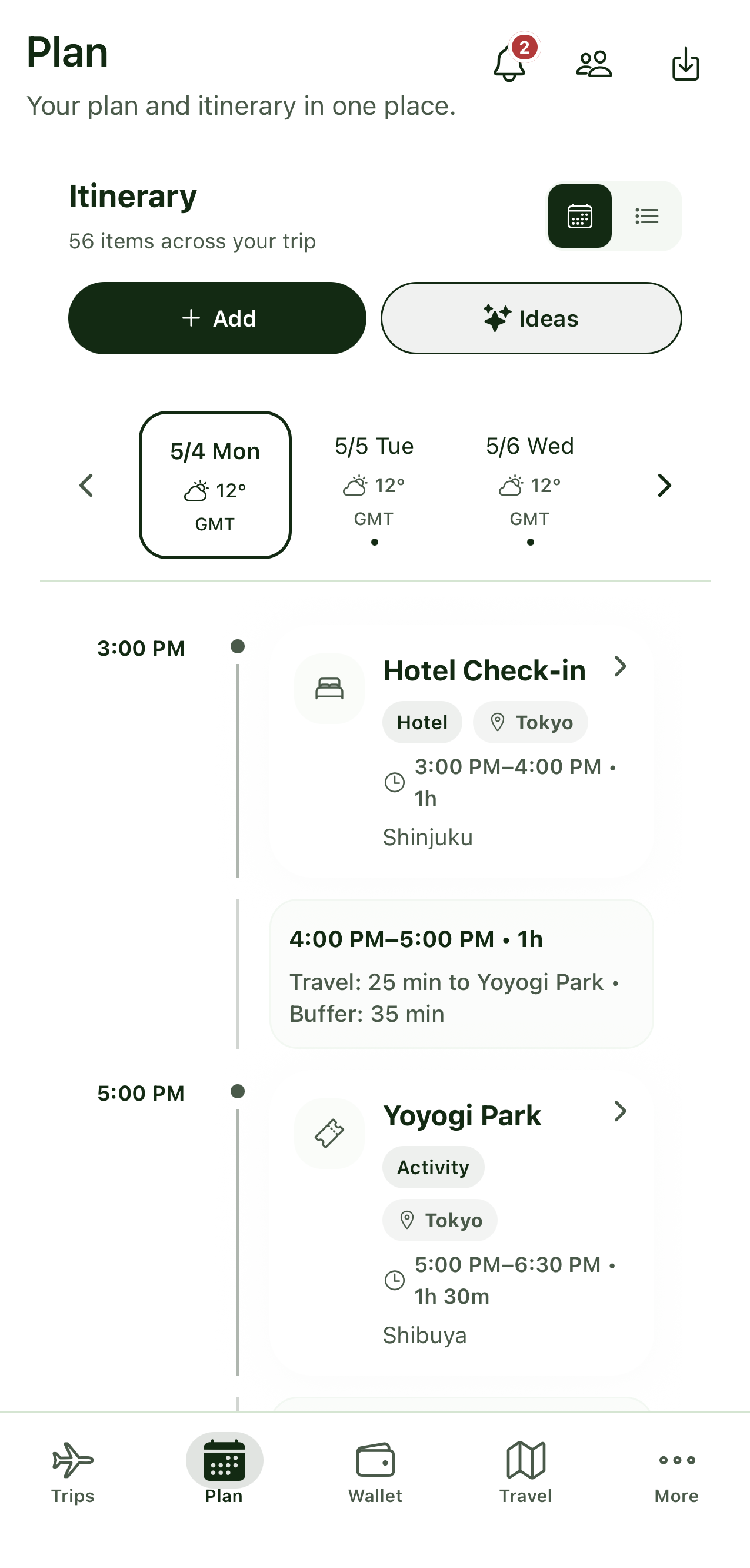
Tripvio can use AI to help with trip ideas and an initial itinerary. You can also explore destination recommendations and begin from a curated template. Once a trip exists, its itinerary is editable: add your own stops, remove suggestions, change the day, reorder items, and refine the practical details manually.
That means AI is one entry point, not a locked route. Start with a city you already chose, compare a few inspiration-led options, or skip AI entirely and create a blank trip. The same plan can then hold the details that make it usable, including itinerary items, bookings, documents, checklists, and shared ideas.
A practical five-step workflow
- Set the boundaries. Begin with the destination or trip type, dates, group size, budget range, and priorities that matter to you.
- Use suggestions to make choices faster. Ask for an initial direction, compare recommendations, or select a trip template that matches the kind of trip you want.
- Build the days around reality. Move items to match arrival and departure times, leave room for transit and rest, and remove activities that do not fit.
- Add the details AI cannot know. Enter confirmed bookings, attach relevant documents, note accessibility needs, and save the places your group actually wants.
- Check the plan before you go. Confirm reservations, opening hours, transport schedules, entry rules, and current local guidance from the relevant official or provider source.
Manual editing is where the trip becomes personal
Two travelers can give the same prompt and need entirely different plans. One may want one museum and a long dinner; another may prefer a full day of neighborhoods, markets, and late-night food. Manual edits let you turn a broad recommendation into the pace you would genuinely enjoy.
They also protect the parts that need a human decision. Keep a flexible afternoon after a long-haul flight. Pick the hotel that works for your family. Replace a suggested restaurant with a friend’s recommendation. If you are traveling with others, keep possible stops in a shared list, talk through them, and add the winner to the itinerary when the group decides.
When to start with a template instead
A template is often the better shortcut when you already know the destination or travel style. It gives you a structured starting point without implying that a recommendation is tailored to your exact circumstances. Set your dates, adapt the daily flow, and replace any item you do not want.
Templates and AI can also work together: use a template to establish a sensible shape for the trip, then use planning suggestions to find ideas for a free afternoon or a specific interest. See how different trip-planning workflows compare if you are choosing an app for a group.
What AI suggestions cannot verify for you
Travel conditions change. A suggested venue may have different hours, sell out, move, or close. A route may take longer than expected. Visa and health requirements can depend on citizenship, transit, and timing. Treat any automated output as planning support, then verify the details that could affect your trip.
For international travel, the U.S. Department of State’s international travel guidance is one example of an official source travelers can consult where applicable. Travelers should also check the official guidance issued by their own government and the destination’s relevant authorities.
The goal: a plan you can trust because you shaped it
AI can help you move from “we should go somewhere” to a useful first draft. Tripvio keeps that draft editable, so you can combine AI-assisted ideas, recommendations, templates, and the details you add yourself. The result should feel less like a generated answer and more like a trip you chose.
Quick answers
Can I manually plan a trip in Tripvio without AI?
Yes. You can create and edit a trip manually, add itinerary items and bookings yourself, and use other starting points such as templates or recommendations.
Can I change an AI-suggested itinerary after it is created?
Yes. Review the draft and edit it to fit your dates, budget, interests, and travel pace. You can add, remove, move, and revise itinerary details manually.
Are AI recommendations always available?
AI-assisted planning, recommendations, and feature limits may vary. Check the current Tripvio app for available options, and independently verify important travel information before acting on it.
Ready to plan faster without losing control of the details?